 ThumbTest
Chrome and Edge extension for web designers
See any website the way a phone does.
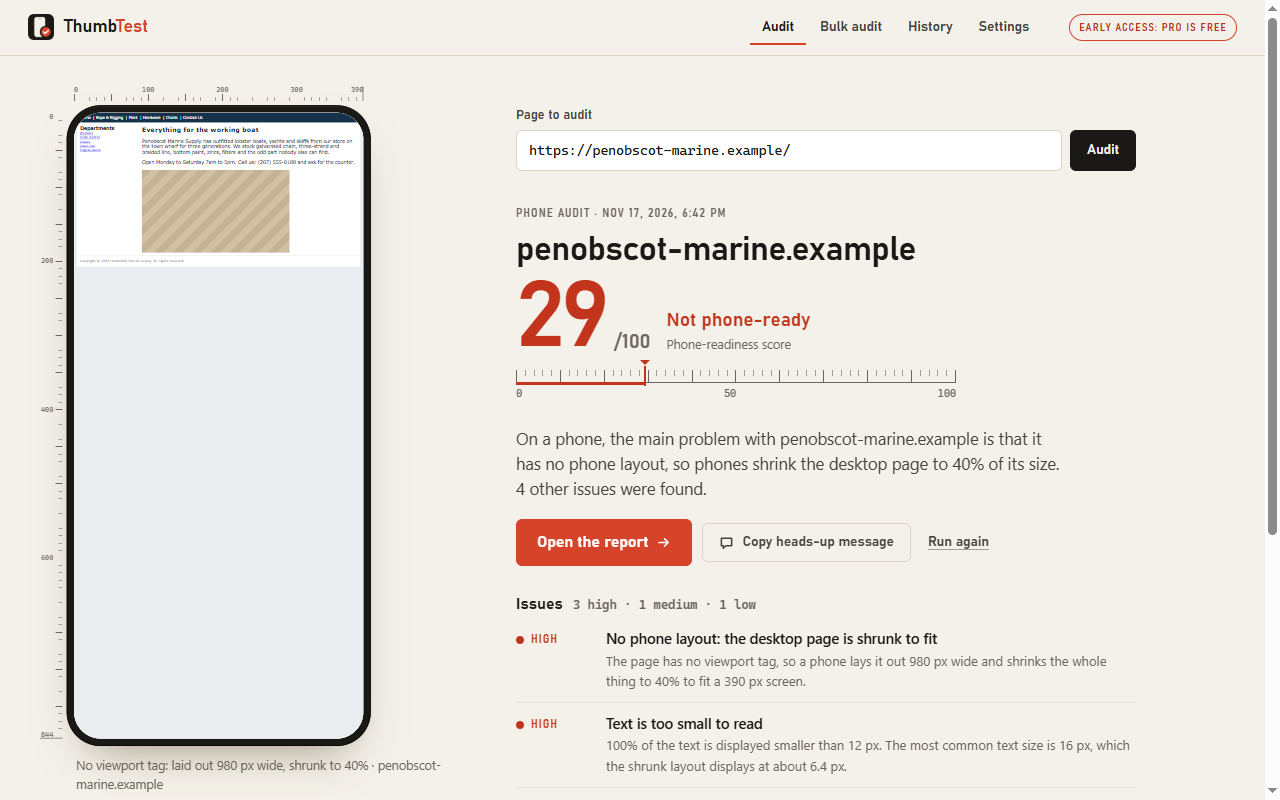
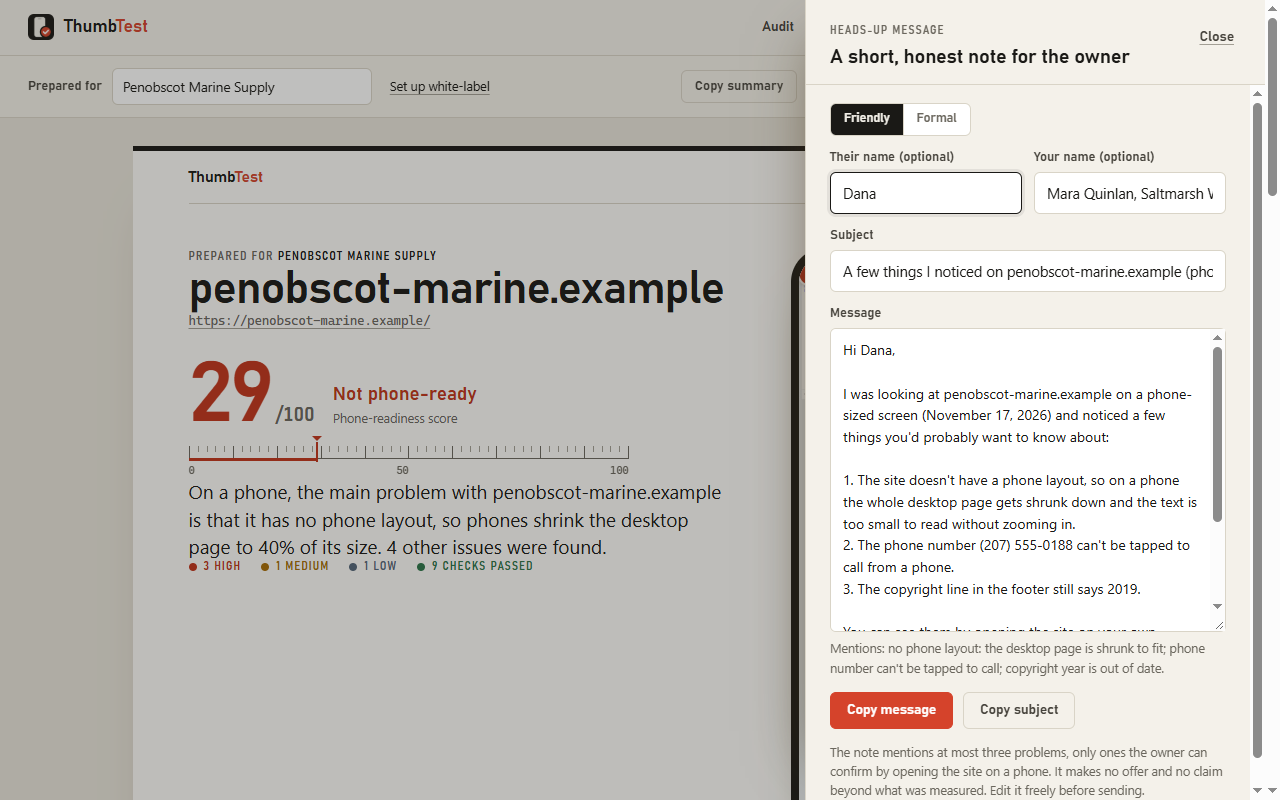
One click shows the page at phone size, lists what is broken in plain English with the evidence, and writes a report you can hand to a client, plus an honest heads-up note for the site owner.
How it works
Three steps, about ten seconds
ThumbTest loads the page the way a phone asks for it (phone browser identity, phone screen width) and lays it out the way a phone would. A page without a phone layout is drawn 980 pixels wide and shrunk to fit, exactly as on a real handset. Then it measures what a visitor would run into.
- 1
Click the toolbar button
On any website, choose "Audit this page". The first time you audit a site, ThumbTest explains the permission it needs before Chrome asks.
- 2
Watch it measure
The page appears in a 390 × 844 phone frame while the checks run: layout, text size, tap targets, links, images, speed and more.
- 3
Send the report
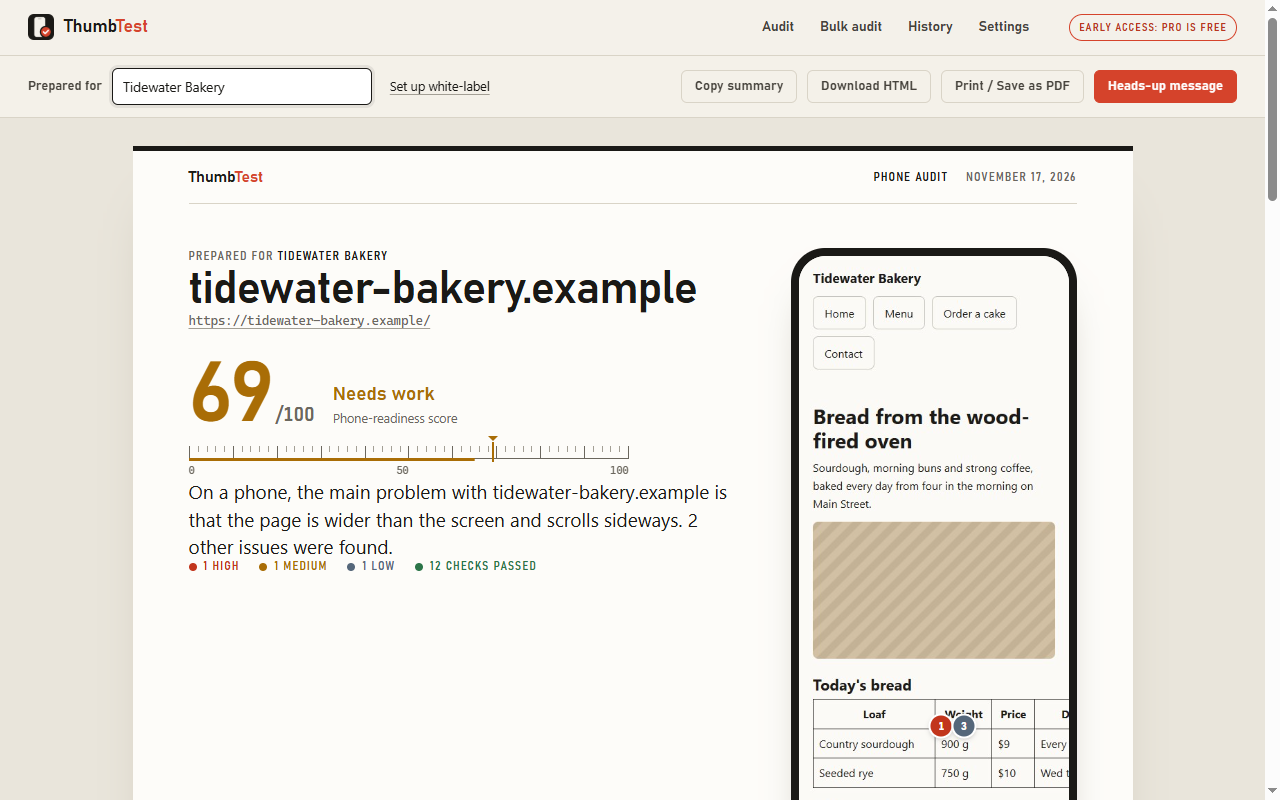
A scored report with a full-length phone screenshot and numbered pins. Print it, save it as PDF or a single HTML file, or copy the heads-up note.
What it checks
Only what it can prove
Every issue says what was seen, with the numbers and the elements involved, why it matters, and how to fix it. If ThumbTest cannot show evidence for a problem, it does not report it. A "What's working" section keeps the report fair.
- No phone layoutMissing or fixed-width viewport: the desktop page shrunk onto the phone
- Sideways scrollingHow many pixels, and which elements run off the right edge
- Text too small to readShare of text under 12 px as the phone displays it
- Tap targetsLinks and buttons under 44 px and crowded together, with examples
- Phone number not tappableA visible number without a tap-to-call link; same for email
- Broken and oversized imagesImages that fail, run wider than the screen, or weigh too much
- Dead navigation linksMenu links that return "page not found" (up to 15 tested)
- Not secureNo HTTPS, or insecure files on a secure page
- Out-of-date copyright yearQuoted exactly from the footer
- Template leftoversPlaceholder page titles and "lorem ipsum"
- Legacy techFlash, framesets, tables wider than the screen
- Slow or heavy pagesLoad time and transfer size from the browser's own timing data
- Ways to get in touchIs there a phone number, address or contact link at all
- ReadabilityLow-contrast text on solid backgrounds; images without alt text
Pricing
Free to check. Pro for volume.
Everything you need to check one site and send one honest report is free. Pro is for people who prospect at volume or send reports under their own name.
Free
$0
- Single-page audits
- The full report and phone screenshot
- Heads-up message, print and PDF
- Single-file HTML download
- Last 5 reports kept
Pro
$29 one-time
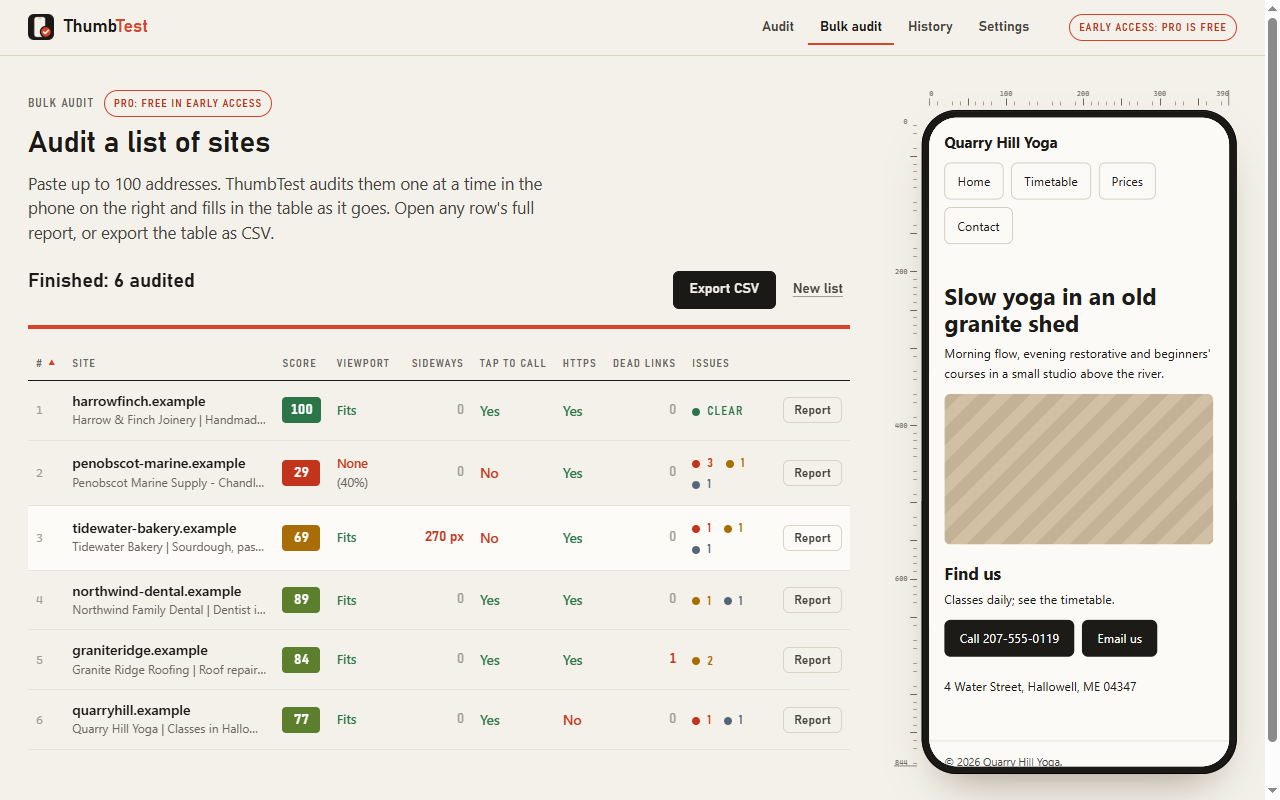
- Bulk audit of up to 100 addresses
- Sortable table and CSV export
- White-label reports: your name, logo and contact line
- History of 200 reports
Early access: Pro features are free for everyone while ThumbTest is new. When paid Pro starts, keys are sold through a hosted checkout and pasted into ThumbTest's settings; no account is needed.
Questions
FAQ
Straight answers, including the limits.
Is this Google's Mobile-Friendly Test?
No. Google retired its Mobile-Friendly Test in December 2023. ThumbTest is an independent tool made by n3rdlabs and is not affiliated with Google. It covers the same ground and more, and it runs in your own browser.
Is the result the same as on a real phone?
Very close, and the report is upfront about the difference. ThumbTest lays the page out at a phone's width with a phone browser identity inside desktop Chrome. It is not a physical handset: Android's automatic enlarging of long paragraphs, iPhone's Safari engine and mobile-data speeds are not reproduced. Load times are measured on your own connection and labelled that way.
Does anything get uploaded?
No. The audit runs inside your browser and the reports are stored on your computer. ThumbTest has no account system, no analytics and no server that receives your data. See the privacy policy.
Why does it ask for access to sites?
To load a site in its phone frame and measure it, Chrome requires your permission for that site. You can allow just the site you are auditing, or every site you audit. Chrome only allows a full-page screenshot of the audit tab with access to all sites, so the single-site choice gives the full report without the screenshot. You can remove access in ThumbTest's settings at any time.
Some sites won't load in the frame. What then?
A few sites hide themselves when shown inside another page. ThumbTest says so plainly and offers to check the page in its own tab instead, at your current window width. The layout checks are left out of that report, and the report says so at the top.
Does it work in Microsoft Edge?
Yes. ThumbTest is a standard Manifest V3 extension and is being published for Chrome and Edge.
Install
Get ThumbTest
ThumbTest is on its way to the Chrome Web Store and Microsoft Edge Add-ons. The install links appear here as soon as the listings are live.